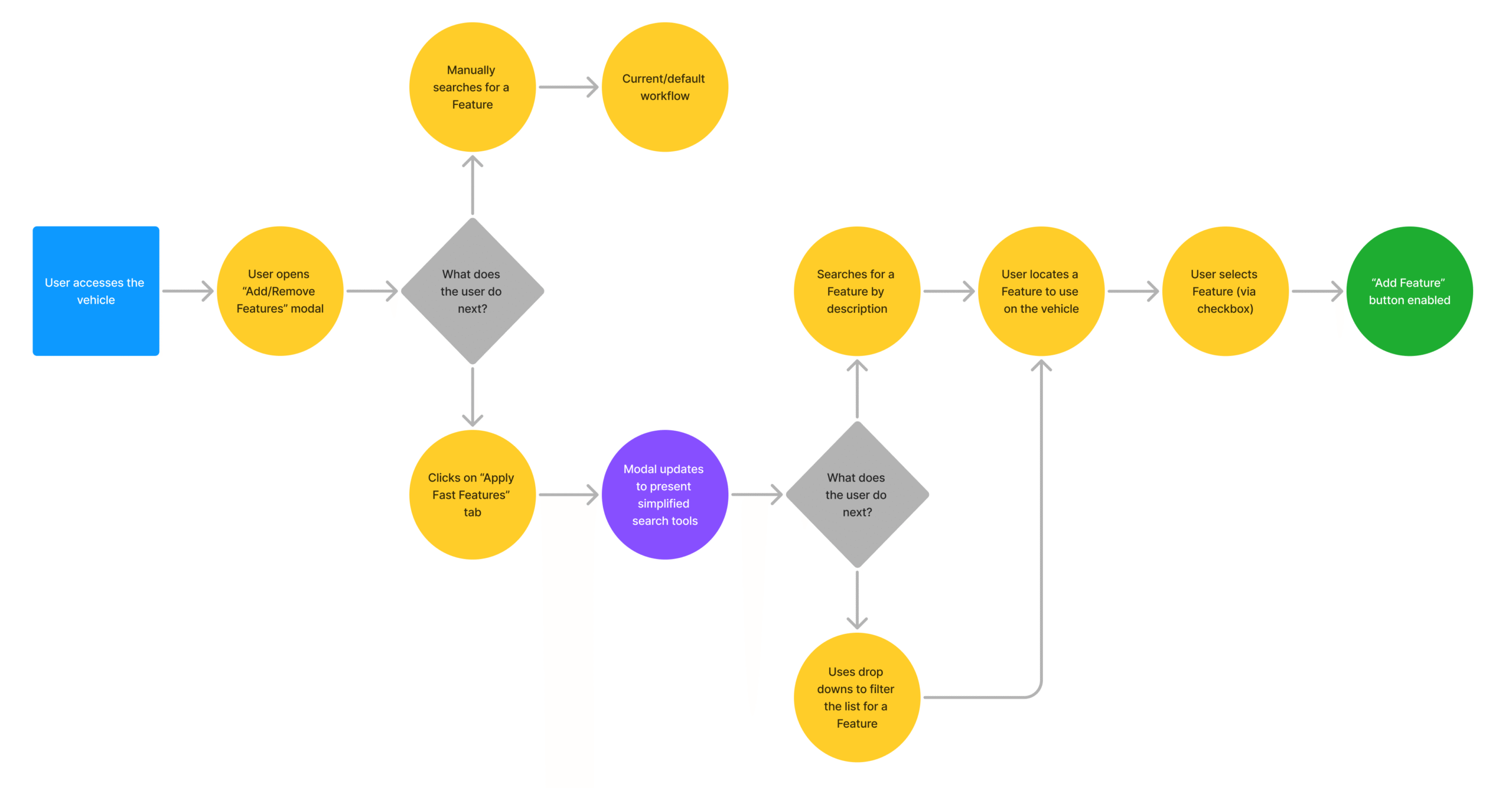
Initial Iteration: Fast Features Page
The first iteration of the Fast Features page gave users a centralized place to view and access prebuilt logic. Since users typically searched based on specific, well-defined criteria, I implemented a streamlined filter system and the ability to quickly copy each Feature’s unique ID number for use in the logic update workflow.
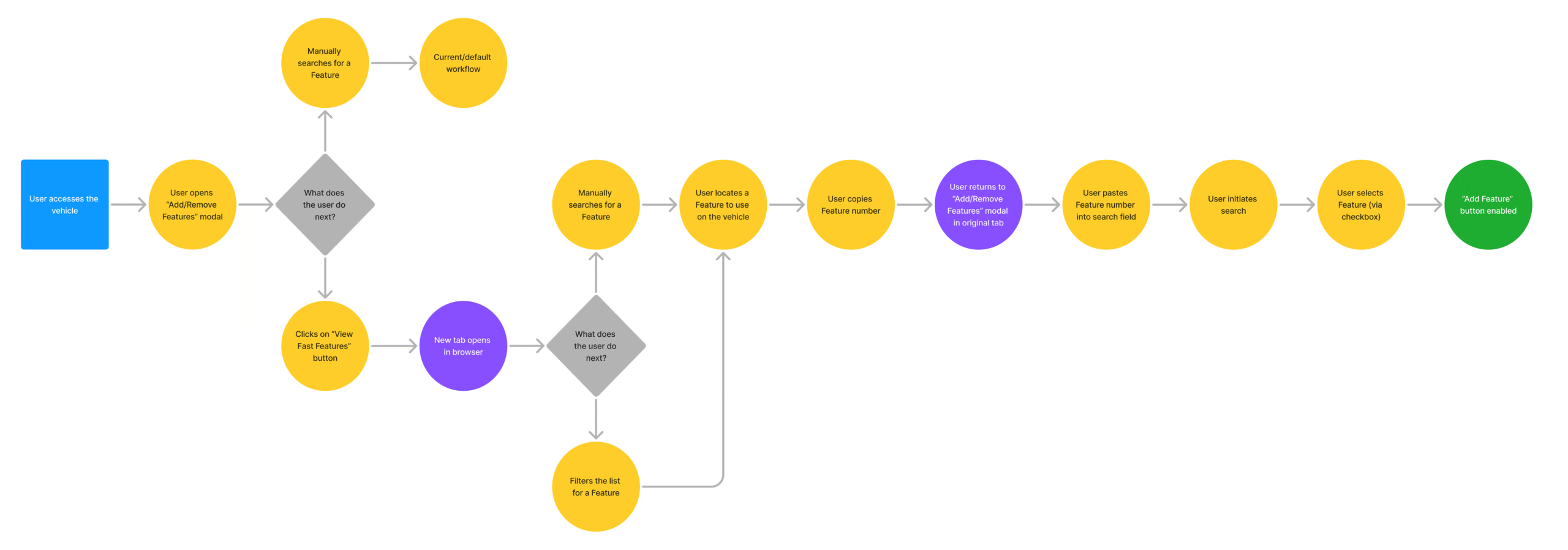
Updated Workflow: In Vehicle Context
Initial user feedback revealed that, while helpful, the standalone Fast Features page didn’t fully solve the problem. Many users struggled to bridge the gap between browsing available Features and actually applying them in the logic update workflow. This user group was often unfamiliar with common web navigation patterns and uncomfortable switching between browser tabs.
Collaborating with the Training team and Product Owners, we reworked the workflow to fully integrate Fast Features into the process of adding logic to vehicles. We expanded and customized the existing affordances to let users select the type of logic they needed directly within the workflow.
This update significantly reduced task abandonment, lowering user frustration and mental fatigue. By meeting users where they were and embedding the Fast Features in a more intuitive way, we streamlined the entire process and increased overall satisfaction.